How to Track Crew Hours with TaskTag's Timesheet Tracker
Keep crew hours accurate with GPS-tagged clock-ins inside existing project chats — no extra app needed.
Read MoreWhich One Actually Keeps Your Crew Aligned?
Manifold excels at visual documentation and 3D scans — TaskTag combines photo documentation with chat, tasks,
and scalable team collaboration, all in one place.
TaskTag
Manifold
An honest look at how TaskTag and Manifold compare across the workflows
that matter most on the job site.
| Manifold $24/user/mo | TaskTag $0 free / $16/user/mo Try TaskTag Free | |
|---|---|---|
| Photo Documentation | Basic upload; not tied to tasks | Job-tagged & task-linked |
| 3D Scanning & Models | Core strength | Via third-party integrations |
| Task Management | Observation notes only | Full task workflows built-in |
| Team Chat | Not available | Project-based messaging |
| Client & Vendor Access | Paid seats required | Free for all contributors |
| Pricing Transparency | Quote-based; opaque tiers | $0 free · $16/user/mo — public |
| Scalability | Enterprise-focused; cost climbs fast | Any crew size — free contributors |
Based on publicly available product information as of 2026. 3D scanning via Manifold is an acknowledged industry strength.
These common frustrations cost contractors time, money, and peace of mind every single day.
Critical details get lost when photos are in one app and tasks are on paper.
Project updates are buried in texts, emails, and phone calls.
Switching between four different apps for photos, time, chat, and tasks.
Join contractors who've cut their software stack and kept every crew member aligned.
"Before TaskTag, we were bouncing between paper sheets, whiteboards, and different systems that never worked well for both the office and the field."


Tierney's Story
The reasons crews switch from specialist tools like Manifold to an all-in-one field app.
Free for contributors. $16/user/mo for admins. No surprise invoices, no quote calls — what you see is what you pay.
Clients, subs, and vendors join for free. Project chat, job-tagged photos, and tasks — all in one shared workspace on any device.
No training manuals required. If your crew can use a phone, they can use TaskTag — from day one on the site.
In-depth guides on TaskTag features and how they compare to Manifold.
Keep crew hours accurate with GPS-tagged clock-ins inside existing project chats — no extra app needed.
Read More
Digital inspection management replacing paper checklists with structured workflows including photo documentation and timestamps.
Read More
Replace scattered texts and paper forms with centralized photo, note, and progress logging from the field.
Read More
Streamline punch list management — create tasks, assign items, document with photos, and track completion to avoid callbacks.
Read More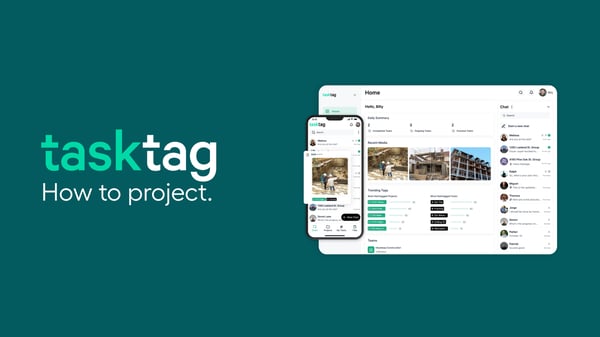
A roundup of visual-documentation-first construction apps — including Manifold — and how they stack up on features and cost.
Read More
When visual documentation alone isn't enough — how adding tasks, chat, and GPS timesheets changes the way crews work on the jobsite.
Read MoreCommon questions, straight answers for contractors comparing the two platforms.
TaskTag Teams is $16/Member/Mo billed yearly for admins and managers. Crew members, subcontractors, and other contributors always join and use TaskTag for free — no per-seat fees, ever. A free plan is also available for small teams getting started.
No. TaskTag has no long-term contracts and no cancellation fees. You can cancel anytime, and annual billing is optional — it just unlocks the lower per-member rate.
Most crews are up and running within a day. There's no formal training required — if your team can use a group chat app, they can use TaskTag. Invite your crew, they download the app, and they're clocking in and logging photos the same day.
No migration is required to get started. TaskTag doesn't import 3D scans or point-cloud data from Manifold, since that's a different kind of tool — but your active projects, crew, and task lists can be set up fresh in minutes without needing historical data.
TaskTag works for crews of any size — from a two-person outfit to a multi-job operation. Pricing only scales with your paid admin seats, so adding more field crew, subs, or clients never increases your bill.
Yes. Subs, clients, and vendors can all be invited into a project as free contributors. They see the photos, tasks, and updates relevant to their scope, without needing a paid seat or access to your whole account.
Every photo is tagged directly to the task and project it belongs to, timestamped, and GPS-located automatically. Unlike tools built purely around visual capture, TaskTag ties each photo to the workflow — so it shows up next to the task, chat thread, and report it's documenting.
Yes. TaskTag includes daily reporting and punch list tracking built in, so photos, notes, and task status collected throughout the day roll up into a report automatically — no separate app or manual write-up needed.
Save time, reduce miscommunication, and keep every project documented from day one
with the ultimate construction communication app.
No credit card required · Free plan available · Cancel anytime