Built for Remodelers Who Need the Jobsite to Stay Organized.
Stop losing jobs to poor documentation. Keep photos, punch lists, reports, and crew communication in one place — so every project is covered from start to closeout.

Everything in One Place
Nothing Gets Lost.
Built for kitchen, bathroom, and residential remodeling crews
from first demo to final walkthrough.
Photo Documentation
Document every phase of the remodel. Tag photos by room, trade, or milestone — kitchen demo, tile install, final walkthrough — all organized automatically.
- Before & after comparisons
- Auto-sorted by room or phase
- Share with clients instantly
Punch Lists
Track fixes and closeouts without sticky notes. Assign punch items by room, trade, or crew member — and close out jobs cleanly every time.
- Room-by-room punch tracking
- Assign to specific crew members
- Photo-verified completions
Daily Reports
Keep a record of progress, delays, and completed work. Send clients a daily update in seconds — no email threads or phone tag required.
- One-tap report submission
- Auto-logged with timestamp
- Attach photos to each report
GPS Timesheets
Track crew time with GPS location and automatic clock-in/out. No more manual time tracking or spreadsheet errors.
- GPS location tracking
- Auto-clock-in/out
- Time logs with timestamps
Crew Communication
Replace scattered group texts with project-linked messages. Every conversation stays tied to the right job, room, or task.
- Job-specific message threads
- File & photo sharing
- No lost context in group chats
Task Management
Assign work and track progress from anywhere. Know exactly what’s done, what’s pending, and who’s responsible — without a single phone call.
- Assign by crew member or trade
- Priority & status tracking
- Mobile-first task updates
Stop Losing Time to Disconnected Tools
Most remodelers juggle 5+ apps just to run one job. TaskTag fixes that.
Group Texts Running Your Job
TaskTag replaces scattered texts with one thread per project. Every update, photo, and instruction stays tied to the right job — searchable in seconds, not buried in DMs.
Spreadsheets Nobody Updates
A live dashboard replaces manual spreadsheets. Every task, status, and crew note syncs automatically — by the time you check, it's already there and accurate.
Paper Punch Lists Lost On-Site
Digital punch lists with photo verification mean nothing falls through. Assign items by room or trade, track every completion, and close out jobs with a clear accountability trail.
Clients Calling for Updates
Daily reports go out automatically from the field. Clients see real progress — photos, completed tasks, and crew notes — without a single call from your end.
Job Photos on 3 Different Phones
Every photo auto-tagged by job, room, and phase. Find any image in seconds — no more digging through camera rolls or tracking down which crew member shot the right angle.
The Numbers Speak for Themselves.
Why remodeling contractors choose TaskTag over disconnected tools.
Setup in under 5 minutes
No training sessions. No IT department. Just sign up and start organizing your first job.
GPS timesheets included
Every plan includes GPS clock-in/out. Know when crews arrive and leave — automatically.
Free plan available
Start organizing jobs at no cost. Upgrade only when your crew grows. No credit card required.
Photos, tasks, and reports in one place
Replace 5 disconnected apps with one tool your whole crew will actually use.
Progress Updated
Milestones update automatically as crew completes work. Clients see real-time progress without you making a single extra call.
No per-project fees
Run 1 job or 50 — your subscription doesn't change. Predictable pricing built for how remodelers actually work.
"TaskTag helps me stay on top of every site with photos and updates in real time. When a client calls asking for progress, I already know exactly what's happening instead of scrambling for answers."
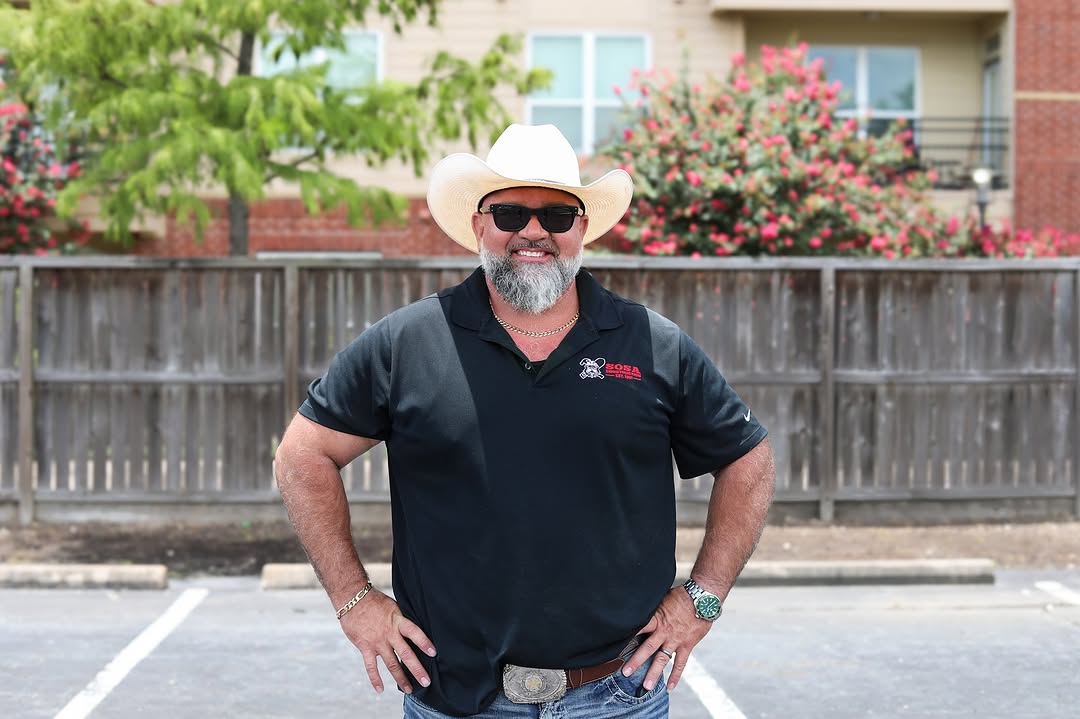

How George Runs 6 Active Jobs Without Missing a Detail
Guides for Remodeling Contractors
Practical tips and step-by-step guides to help you run better remodeling projects with TaskTag.
Learn how experienced contractors use digital tools to coordinate crews, track progress, and close out jobs faster — without complex software or expensive training.
Prevent payment disputes with photo-verified punch items. Close out jobs faster with clear accountability and timestamped completion proof.

Keep homeowners and GCs updated automatically. Centralize crew progress, weather, and photos into professional daily logs — no typing required.
Create a structured before-and-after photo log for every remodel — protect yourself on disputes and show clients exactly what was done at each phase.
Log GPS-verified clock in/out from the phone. No more Friday timesheet guesswork — just accurate labor costs per job you can trust.

Replace scattered emails and texts with job-linked message threads. Keep clients in the loop with organized updates tied to the right project.
Common Questions from Remodeling Contractors
Everything you need to know about TaskTag for remodeling projects.
The best remodeling software keeps photos, punch lists, daily reports, GPS timesheets, and crew communication in one mobile-first app. TaskTag is built specifically for remodeling contractors who need to document every phase — from demo to final walkthrough — without juggling multiple disconnected tools. Setup takes under five minutes and your crew will actually use it.
In TaskTag, punch lists are organized by room, trade, or crew member — right from the mobile app. Crew members can mark items complete, attach verification photos, and update status in real time. Owners see a live view of every open item across all jobs so nothing falls through the cracks on closeout day.
Yes. TaskTag is designed for residential and commercial renovation projects of any size. You can track multiple active jobs simultaneously, assign tasks by trade or phase, document progress photos room by room, and send clients automated daily updates — all without switching apps or maintaining manual spreadsheets.
Yes. TaskTag includes one-tap daily field reports that crew members can submit directly from the jobsite. Each report is auto-logged with a timestamp and can include photos, notes, and work completed. Clients receive updates automatically — no more phone tag or email threads just to answer "how's the job going?"
With TaskTag, every photo captured from the app is automatically tagged with the job, room, and phase. You can capture before-and-after comparisons, milestone documentation, and client-facing updates — all organized automatically. No more hunting through camera rolls or asking "which phone has the kitchen demo photos?"
Yes. TaskTag has no per-user fees for field contributors. You can invite subcontractors, trade crews, and laborers to any project at no additional cost. They can submit photos, complete tasks, clock in/out with GPS, and message the team — keeping everyone on the same job coordinated without extra subscriptions.
Yes. GPS timesheets are included on every TaskTag plan. Crew members clock in and out from the jobsite and their location is verified automatically. You see exactly who was on which job, when they arrived, and how long they worked — with no manual timesheets or Friday memory tests required.
Yes. TaskTag offers a free plan to get started with no credit card required. You can organize your first jobs, document photos, and manage your crew right away. Upgrade to a paid plan only when your crew grows or you need advanced features. No hidden fees, no per-project charges.
Keep Every Remodel Moving Forward.
From demo day to final punch list, TaskTag helps remodelers keep photos, tasks, daily reports,
and crew communication organized in one place.
No credit card required · Free plan available · Cancel anytime