Turn Jobsite Conversations Into Accountable Work.
Assign tasks, track progress, capture proof, and keep every update connected to the project. No more buried texts, forgotten punch items, or missing documentation.
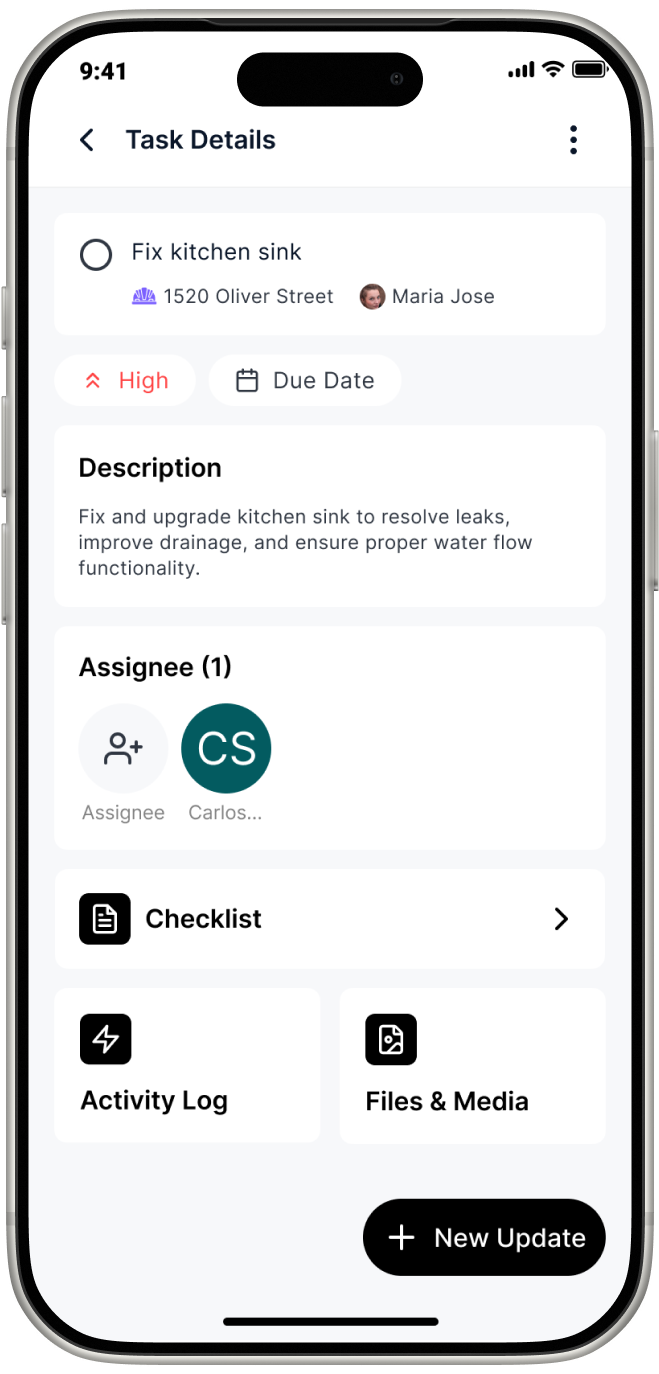
Every photo, comment, and update tagged to a task stays there permanently — searchable, not buried in someone's phone.
Clear assignments and due dates mean everyone knows what they own.
Stop hunting through text threads and email chains for project updates.
Every Task Has Proof Attached.
Assign with one tap, track in real time, and close out with a photo.
Every task is documented from start to finish.
Clear Assignments
Assign tasks to employees, subcontractors, or project leads. Everyone knows exactly what they own.
Checklists for Closeout
Break work into measurable completion steps. Nothing gets marked done until every item is checked off.
Photos & Documentation
Capture before-and-after proof directly inside the task. Photos stay with the record, not on personal phones.
Tag It to the Job
Add a # to any message or photo and it connects to the right project. No manual filing, no missed updates.
From Punch List to Payment
See what changes when task management replaces the group chat.
Tasks Buried in Group Chats
TaskTag pulls every task out of the group chat and into its own tracked item — with an owner, a due date, and a completion photo attached. Nothing gets buried.
Nobody Knows Who's Doing What
Every task is assigned to a specific person. Crew members see exactly what's theirs — no confusion, no skipped work, no duplicate effort on the same item.
"Is That Done Yet?" Back-and-Forth
Real-time status updates mean you always know where every task stands. No calls, no texts — just open the app and see exactly what's done and what isn't.
No Proof Tasks Were Finished
TaskTag requires crew to mark tasks done with a completion photo. You get documented evidence on every item, every time — never just a checkbox and a guess.
Disputes at Final Payment
Photo-documented task completions create a paper trail for every punch list item. Invoicing disputes are answered before they start — with photos and timestamps.
How Task Management Works
on a Real Jobsite
Every step automatically builds a permanent project record. Nothing falls through the cracks.
1. Create Task
Name it, describe it, set priority
2. Assign Owner
One person is responsible
3. Add Checklist
Define measurable steps
4. Upload Photos
Progress proof, in-task
5. Mark It Complete
One tap to close out the task when the work is done.
6. Export the Project Record
Every task, assignee, and status exported in one printable report.
Our final punch lists used to live on scraps of paper and in people’s heads. Now everything is in TaskTag. The crew can add items as they find them, check them off when they’re done, and everyone knows exactly what’s left before closeout.


Watch Henry Thompson’s Story
More Resources for Field Crews
Explore proven workflows, best practices, and implementation guides
to streamline your construction projects

Field Inspection Workflows for Custom Home Builders
Complete guide to implementing daily inspection checklists, photo documentation standards, and quality control processes that keep residential projects on track.
Read More →.jpg?width=800&height=600&name=1%20(77).jpg)
Construction Photo Documentation Best Practices
Learn how leading contractors organize jobsite photos, create client-ready progress reports, and build visual project histories that protect against disputes.
Read More →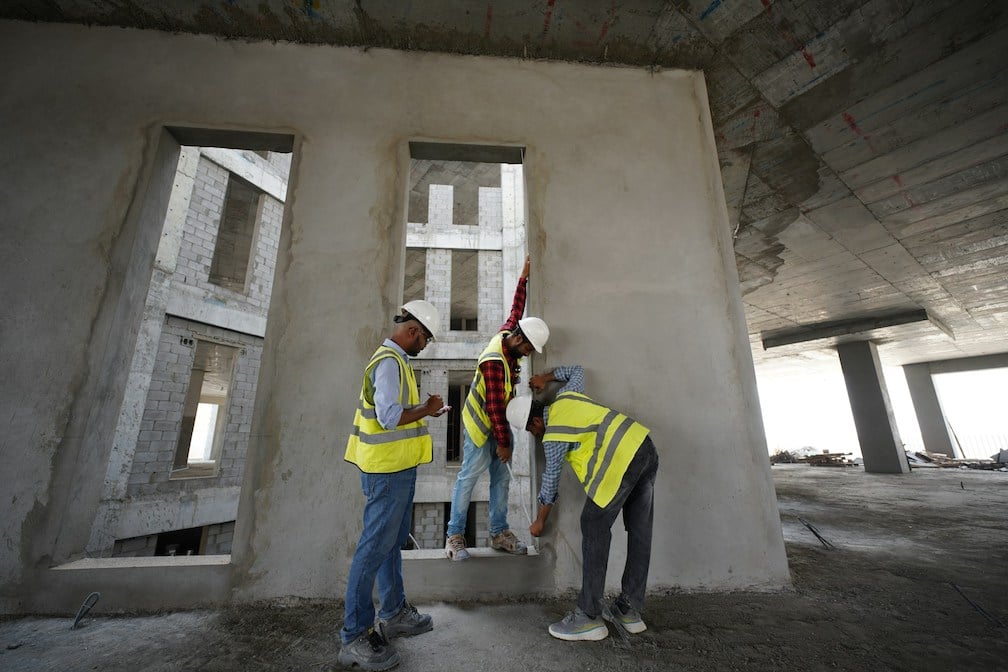
The Ultimate Daily Field Report Checklist for Busy Contractors
Top contractors swear by a solid daily field report checklist to keep crews synced, work moving, and risks down. Step-by-step template built for busy job sites.
Read More →
How to Capture Before and After Construction Photos in TaskTag
Turn every job into a marketing asset. A centralized before-and-after photo log helps you document progress, prove quality, and generate content without chasing your crew.
Read More →
How to Streamline Client Communication Using TaskTag
Keep clients updated without chasing them down with phone calls or drowning in email threads. Deliver real-time project updates directly from the job site.
Read More →
Construction Closeout Checklist: Complete Project Closeout Guide
The last 5% of a project takes 20% of the time. A structured 5-phase closeout process compresses final payment delays and gets you paid faster.
Read More →The Metrics That Matter.
Task = 1 Complete Record
Every task becomes a permanent, self-contained record — assignee, checklist, photos, and status — automatically.
Photos + Checklists + Comments
All proof types unified inside a single task. Together, not scattered across apps and group chats.
Unlimited Accountability
No cap on tasks, history, or documentation. Every project, every crew, every season.
Free Trial — $0
Start without a credit card. Core features included. No time limit.
Get started free in under 5 minutes.
Teams Plan — $16 Member/Mo billed yearly
Crew members join and use TaskTag for free. Always. Full accountability suite for crews, subcontractors, and project leads.
Frequently Asked Questions
Common question and learn how TaskTag handles task assignment, progress tracking, and photo-verified completion for field crews.
Construction task management software lets contractors assign specific work items to crew members, set due dates and priorities, and track completion from anywhere. Instead of relying on verbal instructions or group texts, every task has a clear owner, a defined status, and — in TaskTag — a required completion photo. The result is a permanent, searchable record from the moment a task is created to the moment it’s closed out.
TaskTag lets you create tasks, assign them to specific crew members, add checklists, set due dates, and track status in real time — all from your phone. Crew members get notified instantly and can update progress, attach photos, and mark items complete without calling or texting. You see everything in one place, so there’s no more checking in to find out where things stand.
Yes. You can assign tasks to employees, subcontractors, or any team member invited to the project. Each assignee gets a notification, sees their tasks, and can complete and document work from their phone — at no extra cost per field user. This makes TaskTag practical for jobs with multiple trades working at the same time.
When you create a task, you can add a checklist of steps that must be completed before the task can be marked done. Each item is checked off individually from the field. Nothing moves to “complete” until every step is ticked — so nothing gets skipped on closeout day.
Yes. Crew members can attach photos directly inside a task — before, during, or at completion. When marking a task done, they’re prompted to upload a completion photo as proof. All attachments stay organized inside the task record, not buried in someone’s camera roll or a separate file folder.
TaskTag is built mobile-first for iOS and Android. Crew members update tasks, attach photos, and mark work complete from their phone — no laptop needed. If they can send a text, they can use TaskTag. Updates appear on your end in real time the moment a crew member taps from anywhere on the jobsite.
Punch lists are one of TaskTag’s core use cases. Create a punch list as a set of tasks, assign each item to the right person, set a due date, and require a completion photo to close it out. Nothing comes off the list until it’s marked done with documented proof — giving you a complete, photo-verified record to share at final walkthrough.
Yes. TaskTag’s free plan includes task creation, assignment, and photo completion — no credit card required. Get your crew set up in minutes and start running your punch list the same day. Upgrade anytime for advanced reporting, unlimited project history, and additional features.
Stop Losing Work
to Verbal Instructions.
Turn assignments, punch lists, photos, and jobsite communication into documented work
that stays connected to the project from start to finish.
No credit card required · Free plan available · Cancel anytime