Home Builder Project Management
Built for Real Construction Schedules
Home builders aren't managing tasks.
They're managing sequences.
- Foundation inspections must pass before framing starts.
- Rough-ins must finish before drywall goes up.
One Missed Update
Can Delay an Entire Build
Residential projects live or die by coordination. TaskTag keeps the entire build organized from groundbreaking through final walkthrough.
Trade Sequencing Breakdowns
TaskTag sequences tasks by phase — trades can't start until the prior phase is signed off. Inspections automatically unlock the next step.
Missing Documentation
Every inspection is timestamped with photos attached. Pass/fail status is visible to the whole team instantly and blocks progress until cleared.
Subcontractor Accountability
GPS-verified clock-in/out per trade, per phase. Every hour is timestamped and tied to the job — disputes end before they start.
Client Communication Chaos
TaskTag auto-sends phase progress and photos to homeowners. You build — they stay informed. No calls, no scrambling for status.
“
"TaskTag helped us keep projects organized while giving everyone access to the information they needed."
Everything You Need to Manage
New Home Construction
From GPS clock-ins to final walkthrough sign-off — TaskTag ties together
every workflow your field team already uses.

GPS Clock-In Included
Verify crews are on-site and eliminate manual timesheets. Clock-ins are geo-verified the moment your crew arrives on the job.
- Geo-fenced clock-in verification
- Automatic timesheet generation
- Real-time crew presence dashboard
Photo Documentation
Capture every phase from foundation to final walkthrough. Photos are timestamped, geotagged, and organized by build phase automatically.
- Auto-organized by phase & date
- Timestamped & geotagged photos
- Shareable client photo reports
Punch List Tracking
Assign and close punch list items before turnover. Every item is assigned, tracked, and signed off — no spreadsheet juggling required.
- Trade-assigned line items with due dates
- Photo evidence attached per item
- Digital sign-off before turnover
Field Inspections
Document inspections with timestamps and photos. Every inspection is recorded, attached to the build timeline, and accessible from the field.
- Pass/fail status with photo proof
- Timestamped inspection records
- Blocks downstream tasks until clear
Task Management
Assign, track, and close tasks with due dates and photo evidence. Every task is visible, assigned, and tracked in one place.
- Trade-assigned tasks with due dates
- Photo evidence attached per task
- Digital sign-off before turnover
Client Communication
Share client updates with photo reports, inspection status, and task progress. No more scrambling for answers or missed updates.
- Share client updates
- Real-time inspection status updates
- Task progress tracking for clients
GPS Clock-In Included
Verify crews are on-site and eliminate manual timesheets. Clock-ins are geo-verified the moment your crew arrives on the job.
- Geo-fenced clock-in verification
- Automatic timesheet generation
- Real-time crew presence dashboard
Photo Documentation
Capture every phase from foundation to final walkthrough. Photos are timestamped, geotagged, and organized by build phase automatically.
- Auto-organized by phase & date
- Timestamped & geotagged photos
- Shareable client photo reports
Punch List Tracking
Assign and close punch list items before turnover. Every item is assigned, tracked, and signed off — no spreadsheet juggling required.
- Trade-assigned line items with due dates
- Photo evidence attached per item
- Digital sign-off before turnover
Field Inspections
Document inspections with timestamps and photos. Every inspection is recorded, attached to the build timeline, and accessible from the field.
- Pass/fail status with photo proof
- Timestamped inspection records
- Blocks downstream tasks until clear
Task Management
Assign, track, and close tasks with due dates and photo evidence. Every task is visible, assigned, and tracked in one place.
- Trade-assigned tasks with due dates
- Photo evidence attached per task
- Digital sign-off before turnover
Client Communication
Share client updates with photo reports, inspection status, and task progress. No more scrambling for answers or missed updates.
- Share client updates
- Real-time inspection status updates
- Task progress tracking for clients
Built for Long Residential Projects
Track every phase, crew, and document across months of construction with absolute certainty.
100%
Complete oversight of every active build in your portfolio.
GPS-Verified
Verified on-site hours for every sub and team member.
Instant
Timestamped and organized automatically by phase.
One Place
Seamless coordination across all your subcontractors.
Guides for Home Builders
Master residential construction workflows and keep your projects running smoothly from groundbreaking to handover.
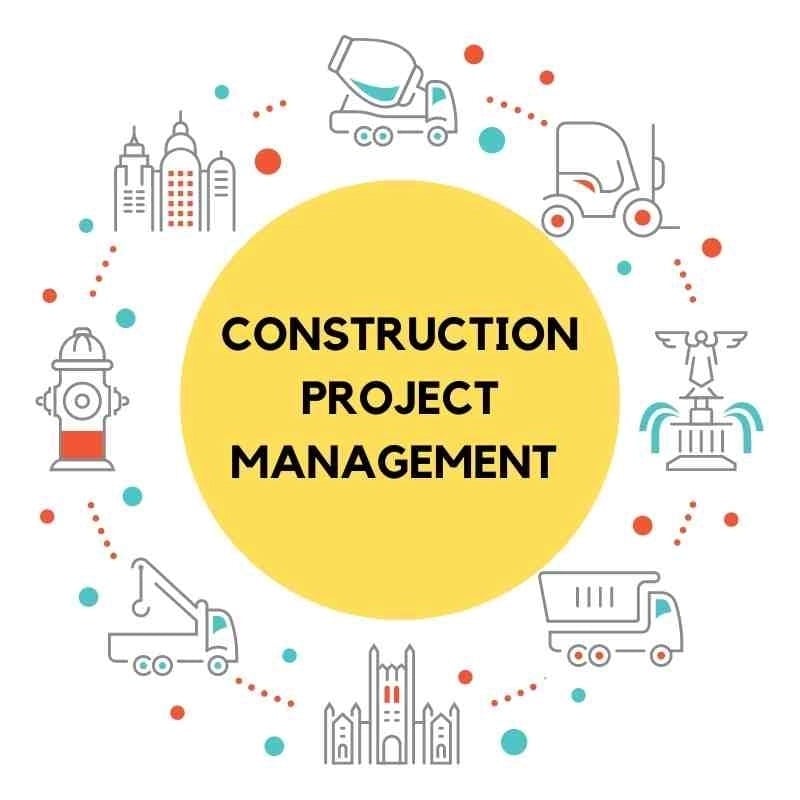
Mastering Construction Project Management with Real-World Tools
Learn how experienced builders use digital tools to coordinate trades, track phases, and close out builds faster — without complex software.
Read More →.jpg?width=800&height=600&name=1%20(77).jpg)
Construction Photo Documentation: Capture Delivery Proof on Every Job
Learn how home builders use timestamped, geotagged photos to document material deliveries, protect against disputes, and create an airtight project record.
Read More →
Daily Field Reports with TaskTag: A Guide for Home Builders
Keep homeowners and subs updated automatically. Centralize crew progress, weather notes, and photos into professional daily logs — no typing required.
Read More →
Before & After Photo Logs: Document Every Phase of the Build
Build a phase-by-phase photo log for every home — protect yourself on disputes and show clients exactly what was completed at each milestone.
Read More →
How to Track Crew Hours Across a Home Build with TaskTag
Log GPS-verified clock-in/out per trade, per phase. No more Friday timesheet guesswork — just accurate labor costs you can trust for every build.
Read More →
Field Inspection Workflows for Custom Home Builders
See how custom home builders use TaskTag to run daily inspection checklists, document phase completions, and keep every trade accountable from foundation to finish.
Read More →Frequently Asked Questions
About the best project management app for home builders.
The best app for home builders keeps GPS timesheets, phase photos, punch lists, inspection records, and trade communication in one mobile-first tool. TaskTag is built for residential construction — so you can coordinate trades, document every phase, and keep homeowners informed without juggling multiple disconnected apps. Setup takes under five minutes.
In TaskTag, each phase of the build has its own task list, photo log, and punch list. Crew members update progress and attach photos directly from the jobsite. You see a live dashboard across all active phases — what's done, what's pending, and what's blocked — so nothing slips through the cracks.
Yes. TaskTag has no per-user fees for field contributors. You can invite framing crews, electricians, plumbers, HVAC techs, and finish carpenters to the same project at no additional cost. Each subcontractor sees only what's relevant to their scope — tasks, photos, and messages tied to their phase — while you see the full picture.
Yes. GPS time tracking is included on every TaskTag plan. Crew members clock in and out from the jobsite and their location is verified automatically. You see exactly who was on which build, when they arrived, and how long they worked — with no manual timesheets or disputes on Friday.
With TaskTag, every inspection is recorded with pass/fail status and timestamped photos attached. Punch list items are assigned by trade, photo-verified on completion, and tracked until closed out. You build a complete, searchable record for every phase — so if a dispute arises, the documentation is already there.
Yes. TaskTag can automatically send homeowners progress updates — phase photos, completed milestones, and crew notes — directly from the field. Clients stay informed about their build without calling you for a status check. It reduces "how's it going?" conversations and builds trust throughout the project.
Keep Every Trade, Inspection,
and Update in One Place
TaskTag helps home builders manage complex residential projects
without complicated software.
No credit card required · Free plan available · Cancel anytime