Feature Thursday: Snap It, Tag It, Track It
Let's face it—text updates can only do so much. When you're managing job sites, property units, or field crews, a photo says more than any paragraph ever could.
Read More
Time-stamped, GPS-tagged photos tied to your projects.
Stop losing photos in text
threads and start building a paper trail that protects you.

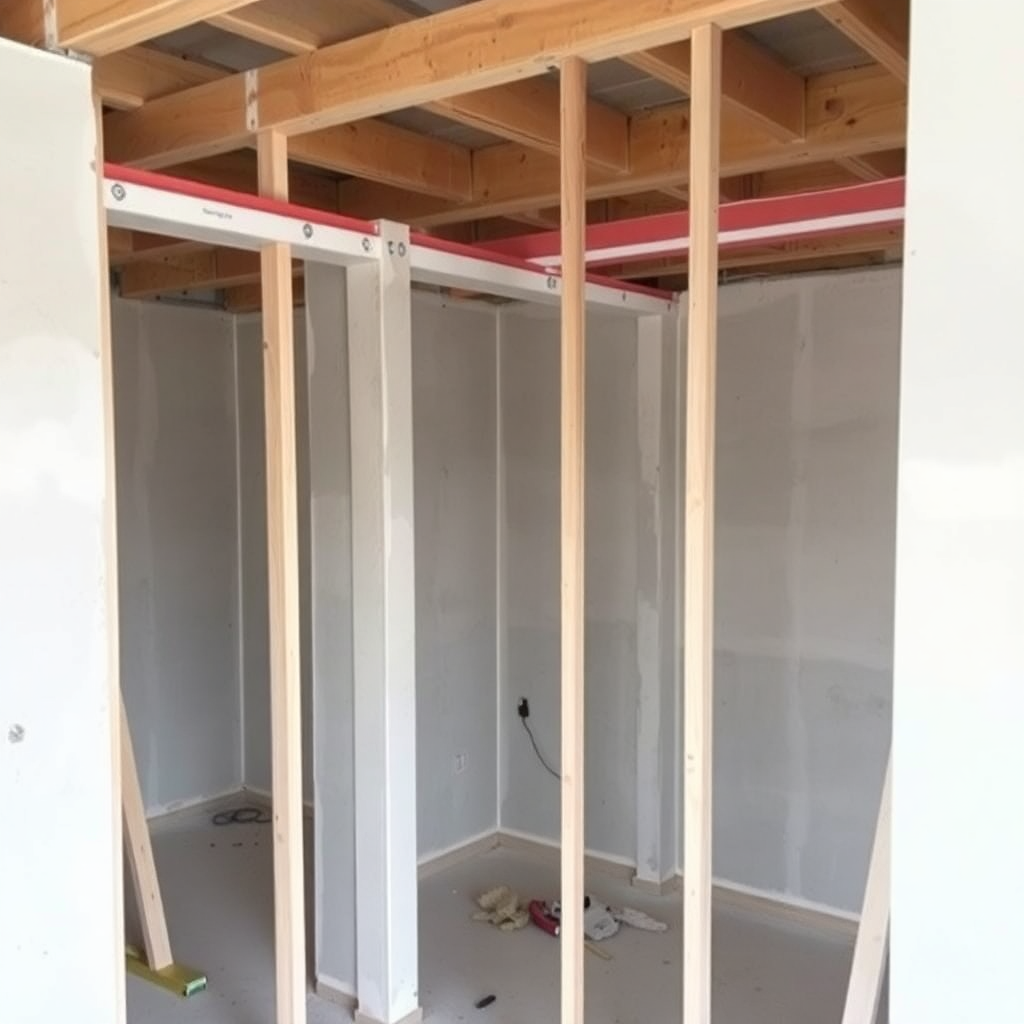
From the first shovel in the ground to final punch
list,
every photo stays organized and ready to share.
Organize photos by phase, trade, or location the moment you take them. No more digging through folders on Friday afternoon.
Attach time-stamped photos directly to change orders. When an owner questions a line item, you've got an answer before they finish asking.
Build a visual record of every area on the jobsite. Keep owners updated and document what's behind the walls before drywall goes up.
Most contractors don't lose jobs — they lose margin.
Here's how
TaskTag fixes the four ways poor photo workflows drain profit.
THE FRUSTRATION
Critical jobsite photos scattered across personal devices, gone when crew members leave.
TASKTAG SOLUTION
Every photo lives in a company workspace. Searchable, shareable, permanent.
THE FRUSTRATION
Photos buried in text threads and email chains with no context about what they're documenting.
TASKTAG SOLUTION
Photos attach directly to projects and tasks with full context — who, what, when, where.
THE FRUSTRATION
Can't prove work was done or document pre-existing conditions when a billing dispute hits.
TASKTAG SOLUTION
Time-stamped, GPS-verified photos export to PDF reports in seconds.
THE FRUSTRATION
Project managers spending hours every Friday downloading, renaming, and sorting job photos.
TASKTAG SOLUTION
Take a photo, tag it in the app, done. Auto-filed the moment it's captured.
Join contractors who've cut their software stack and kept every crew member aligned.
Step-by-step guides from contractors who've been on the
jobsite. Learn
what to document, when, and how to use it when it counts.

Let's face it—text updates can only do so much. When you're managing job sites, property units, or field crews, a photo says more than any paragraph ever could.
Read More
One missing photo can cost you thousands. A crack in the foundation before the pour. The plumbing rough-in buried behind drywall. The site condition before your crew started grading. These moments happen once — and if you don't capture them, you're one client dispute or insurance claim away from a problem you can't prove your way out of.
Read More
Construction sites are fast-paced, high-stakes environments. From framing and roofing to inspections and closeouts, visual documentation is essential for tracking progress, resolving disputes, and verifying completed work.
Read More
Turn your crew into your biggest asset for capturing jobsite transformation with a before-and-after photo log. TaskTag makes it simple to crowdsource impactful photos from your team, creating a centralized hub for marketing, documentation, and proof of progress. This guide will show you how to build a repeatable process that keeps your projects visually documented and your brand story strong.
Read More
Missed or undocumented deliveries slow down jobs, create billing disputes, and leave project managers chasing paper trails. With TaskTag, you can document every delivery in real time—complete with photos, location tags, and notes—all from your mobile device.
Read More
Good daily reporting is critical for construction project management. This guide walks you through how to create Daily Field Reports using TaskTag—avoiding lost texts, photo dumps, and fragmented updates. Learn to log weather, issues, crew progress, and photos in one searchable project management app.
Read MoreEverything you need to know about photo documentation for construction teams.
Photo documentation in TaskTag allows contractors to capture, store, and organize jobsite photos directly within their projects. Photos can be attached to tasks, updates, inspections, punch lists, and daily reports, creating a complete visual record of project progress from start to finish.
TaskTag automatically keeps photos connected to the project, task, or workflow where they were uploaded. Contractors can use hashtags, project tags, and task assignments to quickly find photos later instead of searching through text messages, email threads, or shared folders.
Yes. Crew members, subcontractors, and contributors can upload photos directly from the field using their mobile devices. This allows everyone involved in the project to document completed work, site conditions, deliveries, inspections, and punch list items in real time.
Yes. When users upload photos within a project or task, TaskTag automatically stores them with the associated project record. This helps ensure photos remain organized and accessible alongside project updates, conversations, documents, and jobsite activity.
Absolutely. TaskTag is designed for field teams and works on both iOS and Android devices. Users can take photos, upload images, add notes, create tasks, and share updates directly from the jobsite without returning to the office.
Yes. TaskTag offers a free plan that includes up to three active projects with access to core features, including photo documentation, task management, crew communication, and project tracking. This allows contractors to try the platform before upgrading to a paid plan.
Stay organized, prove your work, and stop losing money to
disputes.
Free plan available — no credit card required.