
How Precision Development Stopped Losing Jobsite Disputes and Reclaimed Hours in the Field
Replaced scattered texts, printed spreadsheets, and disconnected photo documentation with one organized project workflow using TaskTag.
Results That Changed Daily Operations
Four changes Precision Development saw across its jobsites.
Resolved disputes in seconds instead of hours
Eliminated the ‘he-said-she-said’ by providing instant, timestamped photo evidence that stops billing disputes before they even start.
Morning coordination moved from printed spreadsheets to digital workflows
Field supervisors now push project updates and task lists directly to crew phones, ensuring everyone starts the day on the same page.
Photos attached to projects instead of phones
Documentation is no longer trapped on personal devices. Every photo is automatically sorted into the correct project folder for immediate office access.
Material tracking centralized across multiple jobsites
Office teams can monitor concrete yardage and equipment utilization across every active site in real-time, preventing costly overages.
Ready to see it on your jobsites?
See how contractors like Precision Development keep every photo, task and update attached to the project.
Before TaskTag vs After TaskTag
What changed once every crew moved into TaskTag.
Before TaskTag
-
Group chats
-
Printed spreadsheets
-
Scattered photos
-
Manual follow-ups
-
Hard-to-find documentation
After TaskTag
-
Centralized communication
-
Tagged project photos
-
Digital coordination
-
Material tracking
-
Instant documentation
Having pictures organized keeps us honest, and it helps us show the builders that we did the job right.
“Finding photos in text messages was nearly impossible.”

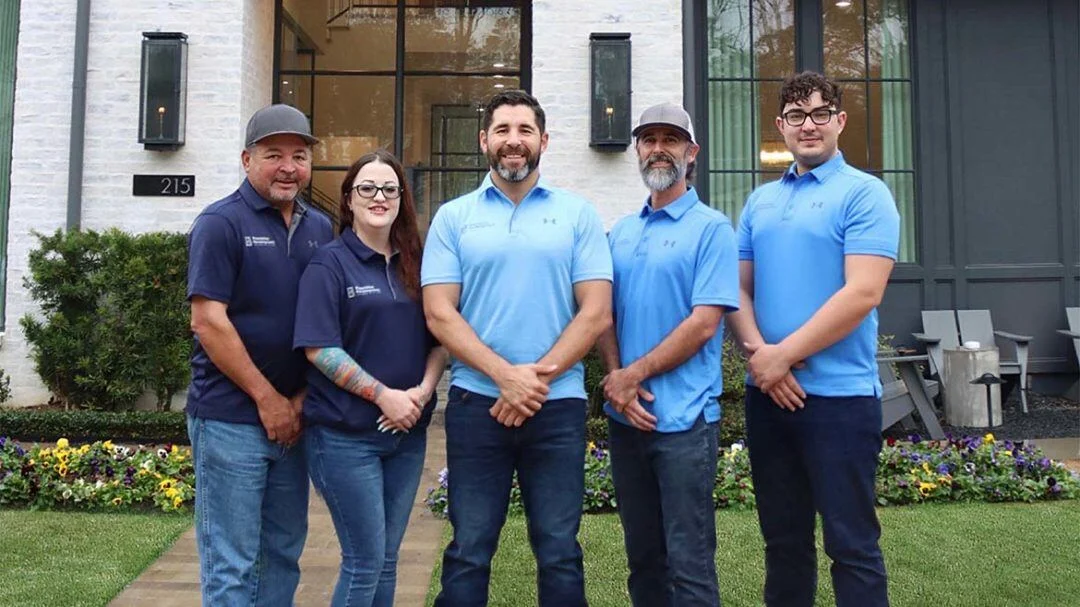
Watch Bruce Honoré explain how TaskTag transformed Precision Development.
Chaos in the Field
Three problems that cost Precision Development time and money.
Too Many Group Chats
Fragmented conversations across WhatsApp, SMS, and email. Critical instructions were buried under hundreds of messages, leading to missed specs and costly rework on Houston jobsites.
Photos Buried in Camera Rolls
Jobsite images were trapped on individual crew member phones. When a dispute arose weeks later, finding the specific proof of work took hours of manual scrolling through thousands of personal photos.
Printed Excel Sheets
Daily coordination relied on paper printouts from the night before. Field teams were often working off outdated schedules, causing delays and friction when site conditions changed midday.
The Features Precision Development Uses Every Day
Five TaskTag tools the crew relies on daily.
Photo Documentation
Automatically geotag and time-stamp every jobsite photo for absolute accountability.
Task Management
Assign and track critical path items directly from the field to ensure zero delays.
Project Chat
Centralize all jobsite communication in one secure feed, accessible to the entire crew.
Material Tracking
Log concrete, steel, and equipment usage in real-time to prevent supply chain bottlenecks.
Daily Reports
Generate automated, professional daily logs for stakeholders with a single click.
Photo Documentation
Automatically geotag and time-stamp every jobsite photo for absolute accountability.
Task Management
Assign and track critical path items directly from the field to ensure zero delays.
Project Chat
Centralize all jobsite communication in one secure feed, accessible to the entire crew.
Material Tracking
Log concrete, steel, and equipment usage in real-time to prevent supply chain bottlenecks.
Daily Reports
Generate automated, professional daily logs for stakeholders with a single click.
The TaskTag Timeline
How a project day runs, from first light to final sign-off.
Morning Planning
Kick off the day with digital schedules and team-wide task assignments.
Crew Communication
All project updates happen in one secure feed, accessible on every smartphone.
Material Tracking
Log yardage and delivery timestamps to keep inventory and billing precise.
Progress Photos
Auto-geotagged and project-linked photos captured as work happens.
Dispute Resolution
Instantly pull up timestamped evidence to resolve client questions on the spot.
Project Completion
Generate and share the final PDF field report with one tap.
How Precision Development Fixed Construction Communication
Four steps that moved every crew and update into one place.
Organize every project inside TaskTag
Move away from local folders. Every Houston jobsite gets a dedicated, searchable project space.
Attach photos directly to tasks
Proof of work is no longer an afterthought. Crews snap and link photos to specific line items instantly.
Replace group texts with project chat
Kill the clutter. All communication happens inside the project feed, accessible to the entire team.
Track materials, crews and documentation
One source of truth. Monitor daily logs, material usage, and crew presence in a single, unified view.
Keep Learning
Guides on the workflows behind this case study.

Daily Field Reports
Master the art of automated jobsite logging to keep stakeholders informed and projects on track.
Read More →
Delivery Photo Proof
Stop payment disputes before they start with indisputable visual evidence of material arrivals.
Read More →
Field Inspection Workflow
Standardize your quality control with digital inspection paths that leave no room for error.
Read More →
Punch List Tracker
Close out projects faster by organizing and tracking every final detail in one place.
Read More →.jpg?width=800&height=600&name=1%20(77).jpg)
Construction Photo Documentation Best Practices
Expert tips on organizing, tagging, and utilizing jobsite imagery for maximum business value.
Read More →
Construction Daily Reports
Why manual templates are failing and how digital-first reporting is saving Houston contractors time.
Read More →Frequently Asked Questions
Quick answers on disputes, photos, and jobsite accountability.
The fastest way to resolve a construction dispute is to pull up timestamped, project-linked evidence on the spot. With TaskTag, every jobsite photo is geotagged, time-stamped, and attached to the task it documents — so instead of scrolling through camera rolls or old text threads, a supervisor can search the project and show the builder exactly what was done and when. Precision Development went from spending hours hunting for proof to settling questions in seconds.
Photo documentation is a contractor’s record of what was built, when, and to what standard. Organized photos protect you in billing disputes, speed up inspections and close-outs, and show clients and builders that the job was done right. As Bruce Honoré puts it: “Having pictures organized keeps us honest, and it helps us show the builders that we did the job right.”
Crews capture photos inside TaskTag and tag them to a project and task as they work. Each photo is automatically geotagged and time-stamped, then stored in the right project — not on someone’s personal phone. The office can browse, search, and filter photos by project, tag, or date, and add them to daily reports with a tap.
Yes. TaskTag covers photo documentation like CompanyCam, and also keeps the conversations, tasks, material updates, and daily reports attached to the same project. Instead of paying for a photo app plus a separate chat and task tool, teams like Precision Development run the whole jobsite workflow in one place. See the full TaskTag vs CompanyCam comparison.
Every task has an owner, a status, and photo proof attached when it’s completed. Supervisors push the day’s task list straight to crew phones, and every update lands in the project feed where the whole team can see it. That shared, timestamped record removes the “he-said-she-said” and makes it clear who did what, where, and when.
Field crews log deliveries, concrete yardage, and equipment usage directly in the project, with photos and timestamps as proof. Office teams see those updates across every active jobsite in real time, which keeps inventory and billing accurate and helps prevent costly overages.
Your Next Jobsite Dispute
Should Take Seconds to Resolve.
TaskTag keeps every photo, conversation, task and
material update attached to the project where it belongs.
No credit card required · Free plan available · Built for contractors